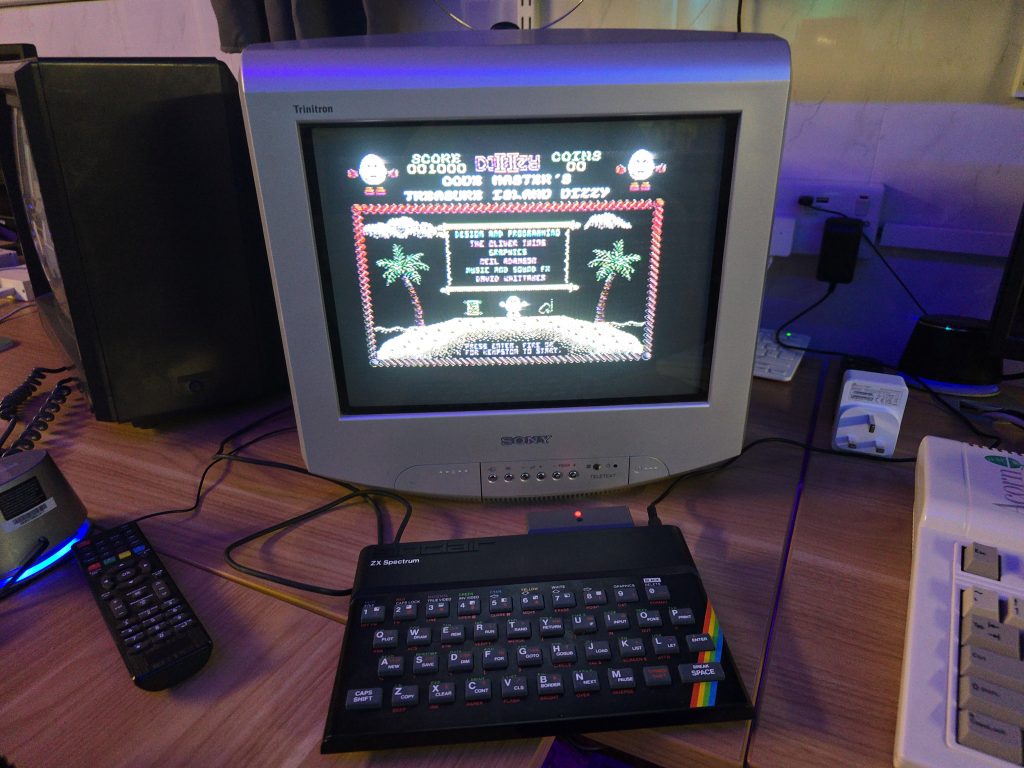
Every now and again I like to have a move around in my retro room and possibly swap out some systems. Well I decided that to represent the Spectrum, I would get one of my 128K Spectrums connected up. I grabbed one off the shelf and plugged it all in ready to sit down and have a play. Only to find out, this one had become faulty!
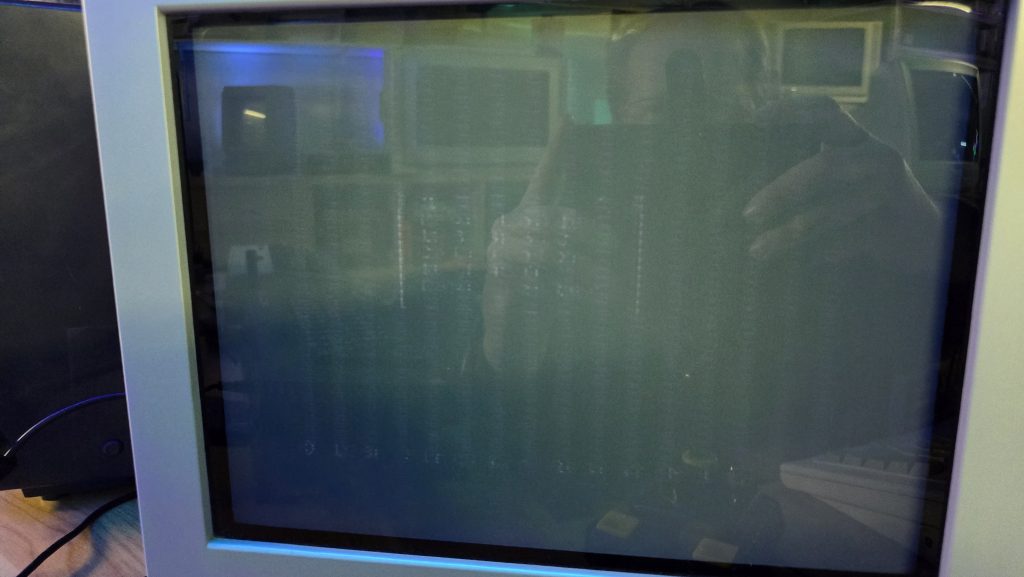
When turning it on using the RGB scart cable, the picture was pretty much black. But this wasn’t a dead Spectrum, as if you looked closely you could see that the computer itself was running fine.
It’s not very clear in the picture but in the center of the screen you can just make out the 128k menu.
This then was more of an issue with the video signal, specifically the blanking signal on the scart cable. Just to rule out a bad cable I tested my other toastrack and that displayed fine.
There is sometimes an issue with Spectrums and certain TVs when using the RGB scart cable, and there is a quick mod you can do to increase the blanking voltage which helps in this situation. But I didn’t think that was what was going on here, and I was pretty sure I had already done that mod on this system at some point.
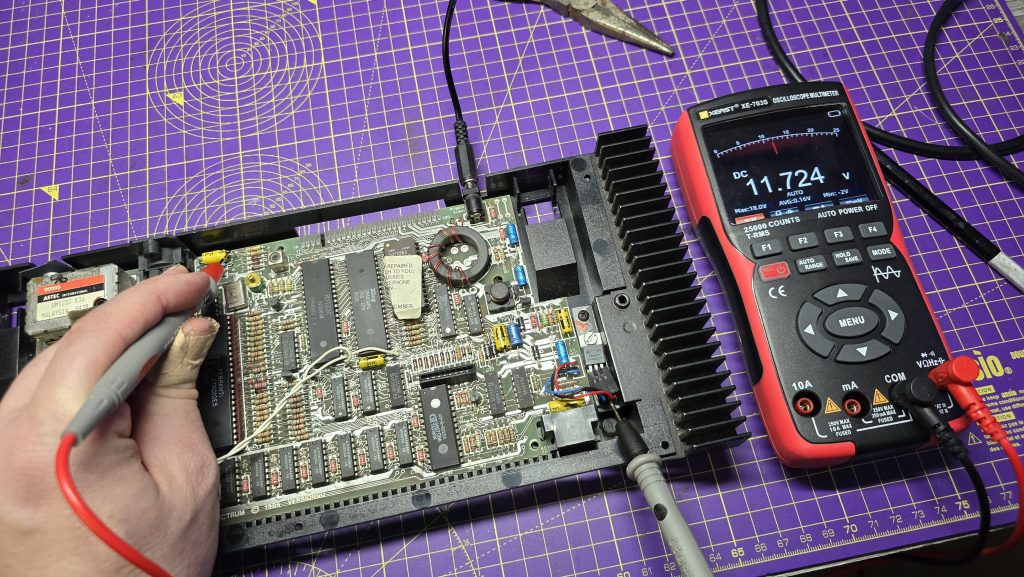
I opened it up and checked the blanking voltage which was at 1.45v. Yeah, there is something not happy here. Another common fault with these machines which would match the issue I was seeing, is the two transistors, TR4 and TR5.
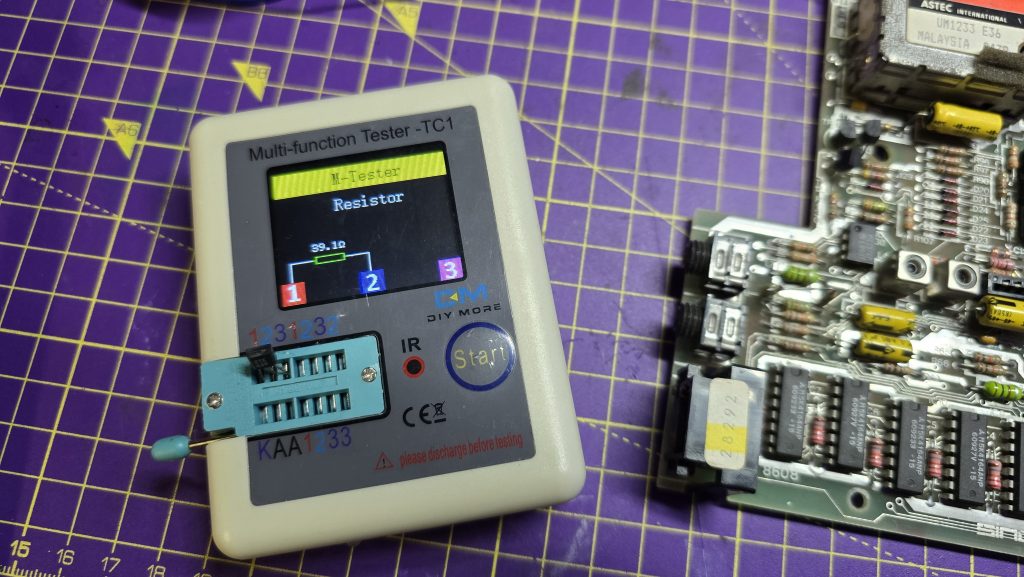
Taking TR4 off the board and giving it a test, confirmed my suspicions.
That doesn’t look much like a transistor to me! So, a quick trip to eBay and a few days waiting for some replacements to arrive.
I did test TR5, and it actually tested OK. But I replaced it anyway to be safe. Sometimes, if you only replace TR4, TR5 can end up damaging the new replacement.
Anyway, we are now back to having a decent voltage on the blanking circuit, and yes, I had already done the blanking mod on this one.
Time to put it back together and give it a test!
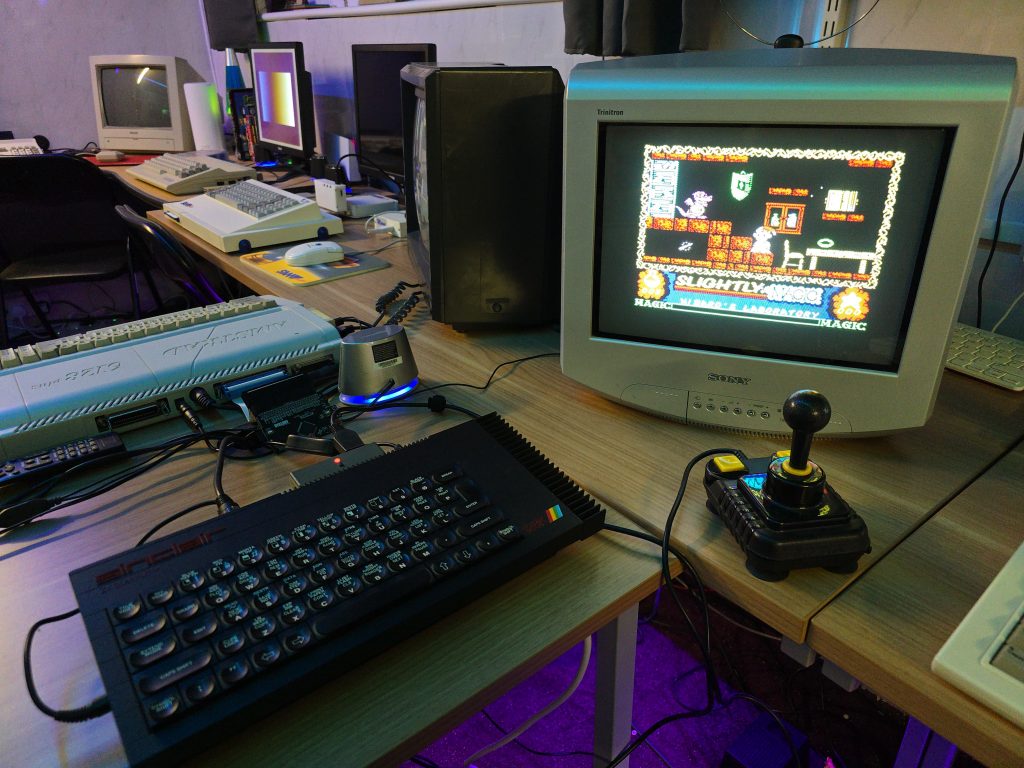
All working 😀
Unfortunately, that used up my spare time this evening, so i don’t actually get to sit down and play a game. Slightly, will have to put his adventure on hold until next time.
Today I had a bit of spare time, so decided to take a look at a Spectrum 48K for one of my work colleagues. It had unfortunately been plugged in using an Acorn Electron PSU as he mixed up the power supplies.
The Acorn Electron uses a 19v ac power supply, where as the Spectrum uses a 9V DC supply. As you can imagine, the poor Speccy did not appreciate this very much.
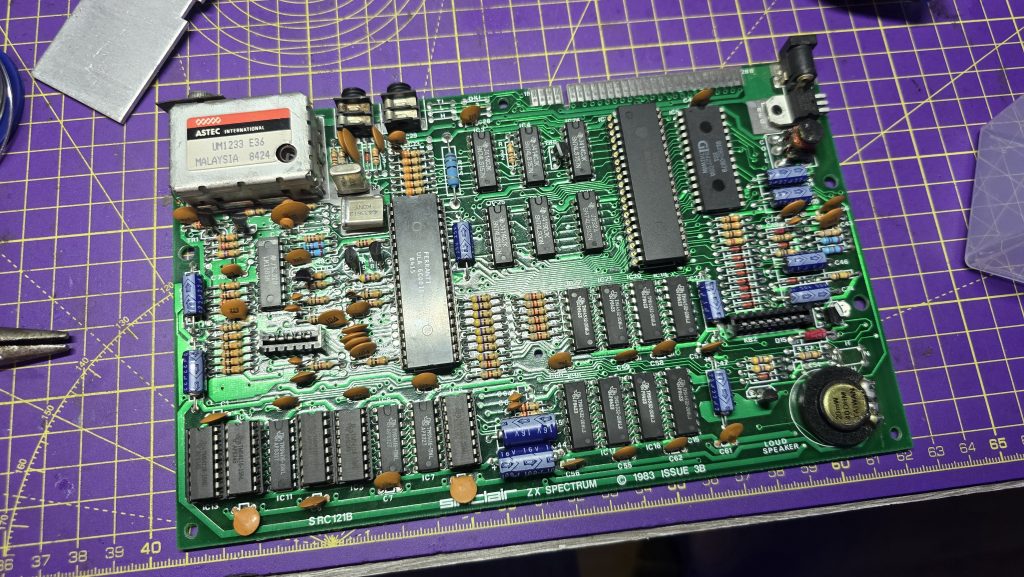
First job was to check the voltage regulator. As expected, this was dead, so I swapped this out with a new 7805 regulator. Now we were getting a stable 5v output from the regulator.
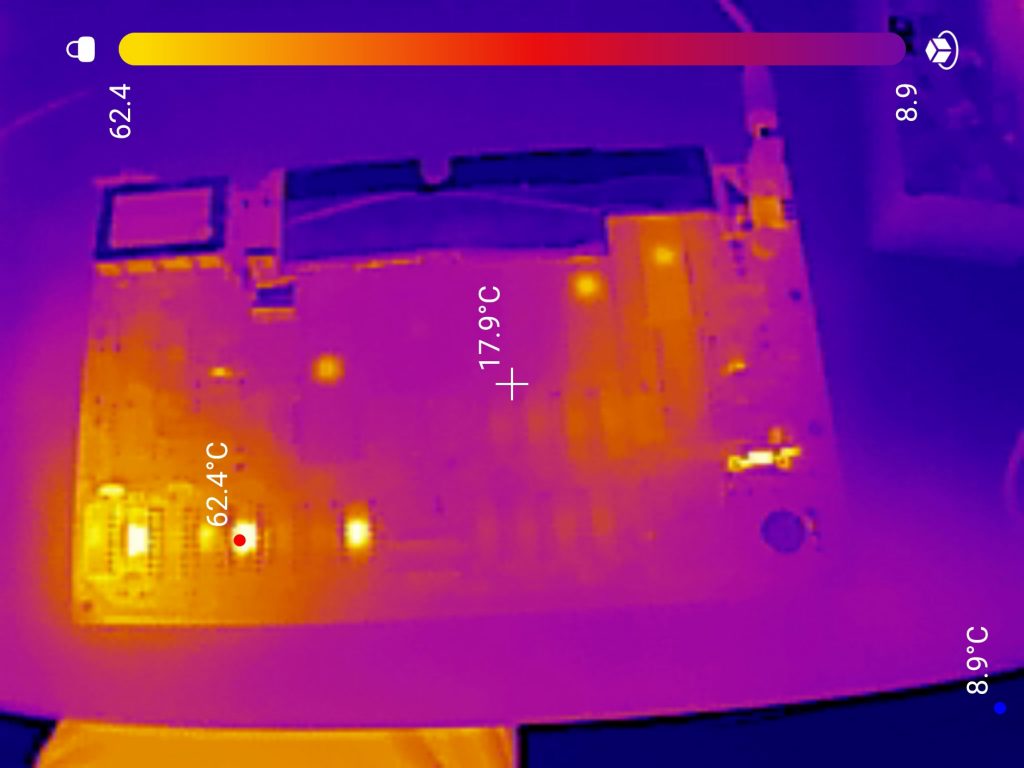
Next step was to dig out the thermal camera and see what the system looked like powered up, I didn’t hook it up to a TV yet as I was pretty confident there were more issues I would need to solve first.
I forgot to take a photo the frist time around, so the photo above is after I had already replaced the far left RAM chip which was also getting very hot.
There were 5 chips in total that were getting pretty toasty. I socketed all of these and tested the removed chips, all of which tested faulty.
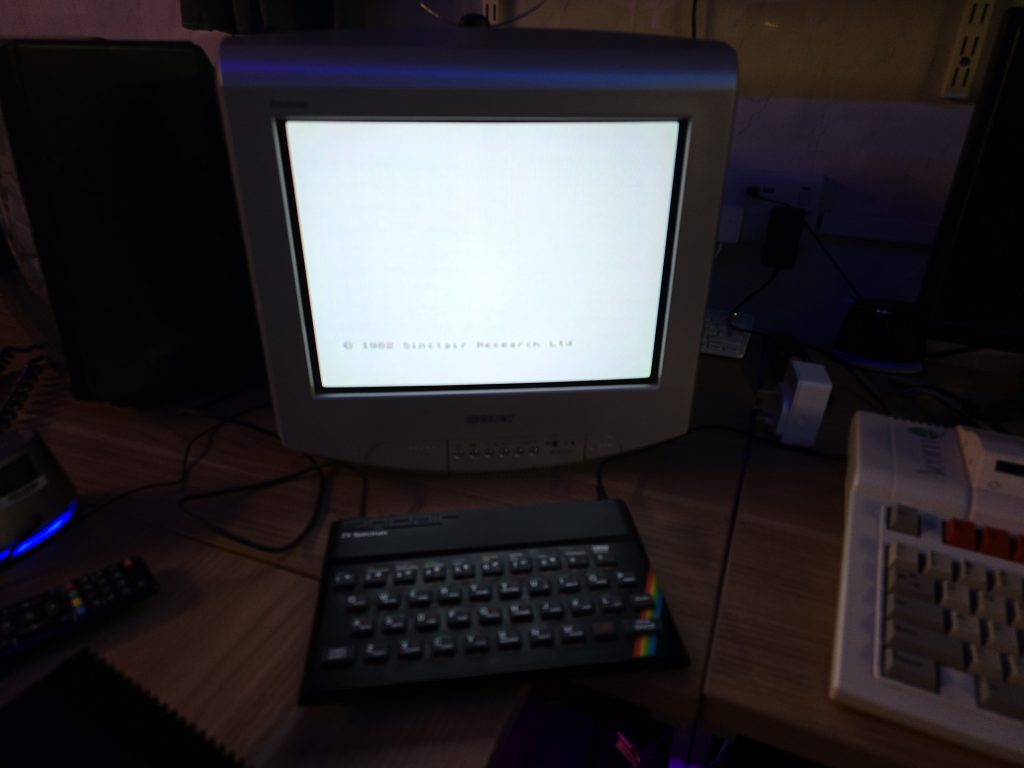
With the new RAM in place, I figured it was time to test the machine out. Even though no chips were getting hot now, some more of the RAM could have still been faulty.
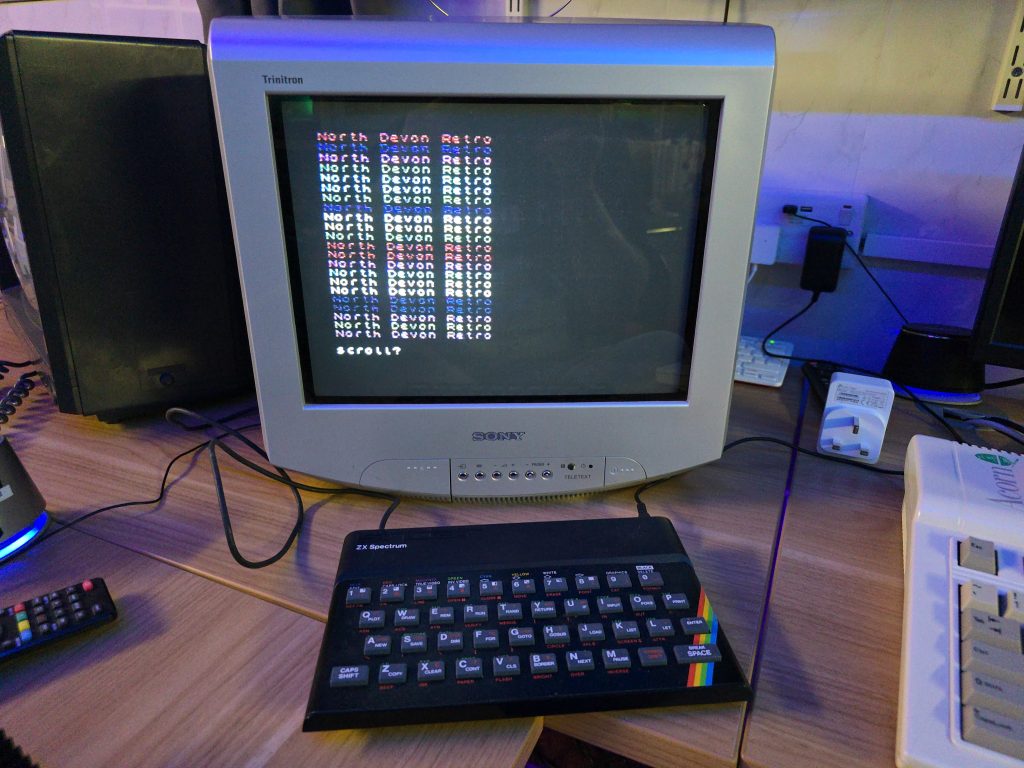
Luckily, In this case, that was not the case and the Speccy booted up, seemingly with no issues. I wrote a little BASIC program just to make sure it was executing code.
So far so good, but I wanted to test some games out. At this point I grabbed my DivMMC device and hooked it up. But here we ran into another issue. The DivMMC was not showing any life when connected to this computer. From previous experience I knew that the M1 line on the CPU can stop the DivMMC from working if it doesn’t function properly. And sure enough, I probed pin 27 on the Z80 and it was just sat there at around 2V, not doing anything.
Fortunately, I had some spare Z80s in stock, so i removed the Z80, and fitted a socket along with the replacement Z80.
Finally we have a fully functional Spectrum again 😀
I decided I wanted to pick up an Epson HX20. The fact that it has a built-in dot matrix printer seemed like it would be a pretty cool thing to mess around with.
After a bit of research, I discovered the main issue is that they came with a Ni-Cad battery installed, which usually leaks and causes damage to the computer. But a bad trace or two should be a simple enough fix, right?
So I trawled eBay and found a spares and repair unit for a cheap price. After all, I didn’t want to spend much on a computer that has a high chance of not working. And the majority of these computers are sold as untested or spares and repairs for that very reason.
Well, the device turned up, and upon unpacking it, I could already smell the leaking battery, but this was expected, so I took it apart to check out the LCD board, which normally takes most of the damage. I gave it a quick inspection to see if any damage was visible. And, well, yes, there was some visible damage lol.
From what I could see, a large number of traces were destroyed. So let this be a warning to anyone who is going to take a chance on one of these, if it’s “untested”, this is probably the state of it!
I downloaded the schematics and started testing the connections and marking off which ones were not connected. After a while of doing this, it became apparent that this board was pretty much destroyed. But I didn’t instantly give up (Although I probably should have).
I wanted to try one other thing: could I actually remake the board from scratch? This was a very ambitious project, and I didn’t really hold out much hope, but I think on the first attempt, I actually got a lot further than I expected.
I spent quite some time designing the PCB and re-creating some of the components in Easy EDA, as they weren’t in any of the libraries. The LCD screen for example, needed to be measured precisely and drawn manually.
Eventually, I ended up with this:
I had to manually route quite a lot of the connections, as the auto routers just couldn’t work it out, even on a 4-layer PCB.
But eventually, I ended up with a PCB that said all traces were connected. So I took the plunge and placed an order with JLCPCB. When they arrived, I then had the next challenge of unsoldering all the original parts and re-fitting them to my new PCB.
It was then time to give it a test. Would I see anything? Would lots of smoke pour from the display?
Well, to my surprise, it actually kind of worked. The main issue I had though, was that the alignment and fitment of the LCD screen wasn’t perfect, and I think the pin spacing was also very slightly out.
So, to be fair, I think I did a pretty good job and probably went above and beyond what anyone else would do to try and recover one of these computers.
I have proved that the actual computer itself is working fine, but I didn’t test the printer or tape drive on this unit. Now I have one of the boards made up, which I can directly compare against the original board, I can see some errors that if corrected, may actually get this working again 100%.
The problem is, changing these parts means a complete re-route of all the PCB traces again, which was quite time-consuming the first time around.
For now, I took the coward’s way out and purchased another HX20, which is nearly fully working and the only issue is with the cassette drive, which I think I can handle! I also tested the expansion unit from the old machine and tested it with the new one, so confirmed that it works fine.
So here is the new machine in all it’s glory!
I think I may give the LCD board another go, as it would probably be useful to the community to recover from this common fault on the HX20s. But, I also think I may take a break for a little while first, as my dreams have been haunted by routing PCB traces
Another recent purchase was this Amstrad 6128 plus. The only thing that was described as being wrong with this one was the disk drive not working properly. I first replaced the drive belt as these are a very common failure point. This got it mostly working but it still seemed to be struggling to read some of my disks. So I hooked up the scope and just tweaked the stepper motor alignment and now it is working spot on.
Next step will be to give it a bit of a clean and then I think this version of the Amstard is going to take up one of my permanent setup spaces, as I don’t currently have an Amstrad computer out on display to easily play around with. So I will get the M4 board hooked up to this one.
Quite an easy repair on this one, but happy to have a working example in my collection.
The Atari 8 bit computers have always been a bit of a mystery to me. I never owned one myself when i was younger, and only ever got to play on an Atari XEGS a couple of times at a friends house. I have a few different ones now but I didnt have an Atari 400. So when one popped up for sale at a good price, and with my new favourite words, faulty – spares or repairs, I jumped at the chance.
True to the description, when I powered on the unit, all I got was a red screen. I started with all the normal checks, were the power levels correct? Was the reset circuit working? Do I have a clock signal, and do the data bus and address bus lines look ok?
All of these checks appeared to be fine, so that always makes the repair slightly more difficult. Since I have a few other Atari’s I decided just to try swapping over the CPU and Pokey chips as they can fail. Both checked out fine so I marked them with a nice little tick just to remind myself in case I ever started second guessing the fault.
Now seemed like a good time to bust out my thermal camera, annoyingly I forgot to take a photo of this, but I noticed that one of the ROM chips was getting a lot hotter than the other two. I did a bit of reading up and found the Atari 400 has 3 ROM chips, The first 2 contain the OS ROM which are 4k each, then the 3rd contain an FPP (Floating Point Package) ROM which is 2K. This was the chip that was getting pretty toasty.
Concentrating on this chip now, I started looking on the oscilloscope and noticed that although in my first test the data bus and address bus looked fine, what I was now seeing was when the computer is first turned on, the data bus was held high across all pins for a few seconds and then faded down to normal activity. Something very strange going on!
To see if the FPP chip was causing this weird behaviour, I pulled it out and turned on the computer once more and was pretty shocked to see the following screen.
So it was alive! But how? Since I still had the ROM chip in my hand. Well, it turns out the Atari 400 will actually run fine with the FPP ROM removed, right until it needs to do something with the maths stored in this ROM.
So this was good news. The computer itself appears fine and I just have a faulty ROM chip. The issue now is the Atari uses customised 2316 style ROM chips which are hard to get these days. So I turned my attention to one of the 23xx EPROM adapters which allow you to use an M27C64 in place of the 2316 chip.
I ordered one of these from eBay as I didn’t have any in my parts bin.
Whilst waiting for that to turn up I decided to keep on troubleshooting just in case the ROM chip turned out not to be the issue, but instead maybe the chip select circuit wasn’t working. I actually went down a bit of a rabbit hole on this one, since there were 3 ROM chips, I really wanted to understand how the correct chip got chosen. So I found a copy of the memory map for the Atari. Looked at the memory locations for the OS ROM and the FPP ROM, translated these addresses into binary, and then from that worked out that address line 11 through to 15 were what was being decoded into the chip select lines via a 74LS42, 4 Line BCD to 10 Line Decimal Decoder.
As an example, if the last 5 bits on the address bus were 11011, This would set pin 18 on the FPP ROM chip (One of it’s 3 chip select lines) to high, then pin 21 on the FPP ROM chip to high, then the last 3 bits 011 would go to inputs ABC on the 74LS42, which would cause it to set the final chip select line on the FPP ROM to low. This combination of High High Low is the correct combination to select this specific chip.
I used the same logic above to work out how the Lower and Upper OS ROM chips were selected. This is where I hit a bit of an issue. The schematics I was looking at, combined with the decoding above didn’t add up. There was no way the computer could select the Lower ROM or the Upper ROM by themselves, it would always select both ROM chips.
I was fairly sure my workings out were correct, so I went in search of different schematics for the Atari 400. When I found some, even though they were low quality, I was pleasently suprised to see that the first schematics I was looking at were indeed wrong. For some reason I was pretty happy about this, it meant that I understood how the system worked well enough that I could actually disagree with the schematics that were right in front of me.
Notice on the left picture above that ROM 103 and 104 both have the same Chip Select combination, where as on the slightly blurry image, Pin 21 is Active High on one and Active Low on the other. If you are wondering about the 3rd chip select line, it is actually A11 (I would have to work it out, but I think it is used as a chip select on the FPP ROM but may actually be used as an address line on the OS ROM, something to ponder another day).
After all of that I decided the chip select logic all looked to be fine, and my issue was still likely to be the ROM chip itself.
After a couple of days the 23xx adapter arrived and I spent a long time trying to configure it correctly to emulate the FPP ROM. It took me a lot longer than I care to imagine to realise that the pins on the back, of which you need to bridge two of them, were actually in the order 321 rather than 123 (Why!!!!!), once I had worked that out, I set up the adapter by bridging pins 2-3 on 18,20 and 21. Then bridging 5 as the output pin. I wrote the FPP ROM code to my AT28C64 EEPROM chip, and since this was a 64kbit chip instead of a 16, I repeated the ROM code 4 times to fill the chip (I did try it just at address 0000 but that didn’t work, so remember to do this step).
Finally I was ready to plug in the new ROM chip and when I powered on the computer I was greated with Memo Pad. Now the issue here is Memo Pad actually worked without the FPP ROM installed so I wasn’t really testing anything yet, apart from it wasn’t giving me a red screen.
I happened to have an ATARI SALT Diagnostics cartridge kicking around (Yes I did try this at the start of my repair, but it wouldn’t run with the computer in the state it was in). The good thing about this cartridge is you can just burn an EEPROM and stick it in this cartridge to test ROM files. So I download an Atari BASIC ROM as I had read that this needs the FPP ROM to fucntion.
First test was to pull out my new ROM replacement and try Atari BASIC. It loaded and I got the ready prompt, but then a load of garbage appaeared on the screen and it crashed.
Next I placed my FPP ROM back in the socket, repeated the test and this time I had a fully functioning Atari 400.
All that was left was to re-assemble to computer and feel happy that I’d saved yet another computer and gained a lot more knowledge of the Atari 400 along the journey.
My latest eBay purchase was a Sinclair QL fully boxed with manual, power supply and a bunch of microdrive cartridges. This was again listed as not working so was expecting to do another repair.
When it arrived my first test was to check the voltages coming from the power supply. Nothing seemed to be being output so this was definately one of the issues I needed to sort. I didn’t want to make a start repairing this one yet as I am still working on the MSX2. But I thought I’d just open up the power supply and check for any obvious issues.
It all looked clean inside the PSU, so I plugged it back in to check some of the voltage lines only to find they now all looked fine. I checked the voltages at the connector end again and once again everything looked good.
I can only assume a loose connection at this point so I put it all back together for now. I then plugged the QL in to find it all seemed to be working perfectly. I tested both microdrives and they worked fine also.
The only issue I discovered was the keyboard membrane had a break in one of the tracks. This is a common fault with these old membrane based keyboards and luckily brand new ones are still available so I have ordered one and just need to wait a few days for that to arrive.
So, I think I got another pretty good deal with this one. Bit of a shame that it wasn’t much of a repair as I really enjoy getting stuck into that (The MSX2 repair has been great fun in that respect so will post an update about that shortly).
When I recieved this MSX2, I had concerns as it had certainly already had a reapair attempted on it. What if this person had tried everything and discovered that a custom chip had blown and it was unrepairable?
Well, I decided to carry on regardless and work through the issue myself. To start off with I checked the basics on the CPU. Clock signal, reset circuit, data and address buses. They all looked fine.
The video circuit all seemed to be operational, I could see the 15khz sync signal but the composite video output was just black.
I noticed that the CAS signal for the main RAM was missing, which suggested that the CPU wasn’t successfully executing code, even though there was a bunch of activity going on. My first assumption was bad memory. I socketed both the video RAM and the main RAM and swapped chips around but it made no difference.
I decided to add a useful tool to my inventory and purchased a mini DRAM tester off Ebay.
One by one I inserted the DRAM chips and they all tested good. Not quite as simple as a RAM fault then.
After reading through the schematics for the Sony HB-F1XD (The closest MSX2 I could find to my model) I noticed the VDP read and write signals came from a custom IC on the board labelled as a MB64H444.
I checked with my thermal camera and noticed this chip stayed completely cold when powered on. My first concern was maybe this chip was completely dead which would be game over for this computer as they are virtually impossible to purchase.
I found the pinout for this chip and probed every pin with my scope. Everything seemed to be in order.
It was at this point that I put the scope back on the composite video pin and noticed it was showing a signal!
How could this be? I’ve not changed anything!
Even though I don’t have the replacement hic board yet, I hard wired the composite video output from the vdp chip into my little monitor and there it was, a perfect working image.
Although I was happy that the computer was working and that all of the custom chips were good. I don’t like things just fixing themselves as it can always break again.
And that is exactly what happened. But I discovered that by putting some pressure on the board I could break and fix the computer at will.
My next job was to find the bad connection, so I started re-flowing the solder joints on the chips in the area where I was bending the board. I also reflowed the solder on the MB64H444 chip. At this point the computer was non working and bending the board wouldn’t bring it back to life. Back to square one 😞
Only this time, I knew all the components were working and I was looking for a bad trace or solder joint.
I went back over the MB64H444 IC as this was the last thing I touched, and that is when I noticed no activity on the A13 address line. Could it really be that simple?
As a temporary test, I soldered a bodge wire from A13 on the MB64H444 up to A13 on the ROM chip.
I crossed my fingers and powered on the machine which greeted me immediately with the MSX logo. And no amount of flexing the board would cause it to not work.
The entire computer brought to a halt because of a bad trace on one of the address lines to this MB64H444 chip.
I’m still not 100% sure what role this chip plays in this computer. The schematics list it as a speed controller. So I will be doing some more reading up now to see why this issue caused the machine to not boot.
I have alsp sourced a modern replacement for the HIC board now, so once this arrives, I will be able to put this computer fully back together and start using it.
There is something so satisfying when you finally find the issue with these old machines.
If you have anything sat in your loft broken and you fancy donating it, I will do my best to bring any computer back from the dead and give it a good home 😀
My next repair project is this Sony MSX2 computer. Purchased as not working (black screen).
Unfortunately this machine has a bit more to its history than the eBay advert let on. Upon opening it I noticed that the problematic HIC1 board (The video out multiplexer that tends to suffer from corrosion on these machines) was not only missing, but pin headers had been fitted in its place.
This tells me two things. The hic board on this machine had indeed failed. But also, someone had replaced it with the modern replacement hic board but I guess it still didn’t fix the problem so they took it back out and sold the computer.
So, I need to either build or source a hic board for starters. But even then I probably still need to get the actual machine running.
I have already gone over the board with my scope to see if I can see what is going on. For starters it seems the computer tries to start for a few seconds and then comes to a stop. I can see a horizontal sync and csync but it appears the video signal is just a black screen.
I’ve also noticed that the CAS signal for the system memory is not there. Currently I’m assuming a possible memory fault so I will try swapping that out first. If it still doesn’t appear to be running then I will probably look into the ROM chip next.
All of this is under the assumption that the MSX2 should actually run fine even without the hic board present. Unfortunately I don’t have another MSX2 to test this theory.
I’ve had this one for a few months now but forgot to add it to my list. Don’t really know too much about these yet, so will be fun having a play and seeing what I can get it to do.
Apparently they were very popular with reporters and editors as it has a good keyboard and allowed them to write articles easily.
This one is in perfect condition. Think I’ll have to get a Wi-Fi modem hooked up to it and see what it’s like browsing some BBS’s
This one came of for a bargain price on one of the Facebook groups so I coulnd’t resist adding another Amstrad to the collection. I already have a CPC M4 board for this computer to allow loading software from SD Card and over Wi-Fi. Will definately be setting this one up and experimenting a bit more with the features the M4 has to offer as I’ve not really done much with it so far.