Posted on Leave a comment

Yamaha DX-7 Repair

Recently, a colleague at work contacted me and asked if I wanted some old computer stuff, including a 19″ CRT monitor and a colour Dot Matrix printer. This donation was gladly accepted, and whilst collecting my new toys, we found ourselves discussing various retro tech.

During this conversation, he mentioned that he had a Yamaha DX7 synthesiser that he had purchased, but it had a fault. It is very common for the batteries to die on these, which then leads to corrupted content in the RAM. In this case, though, the battery had already been replaced, but it didn’t fix the issue.

I did a quick Google search for the schematics, and essentially what I saw were the schematics of an 8-bit microcomputer. I said I’d take it back with me and take a look to see what was going wrong. Occasionally, the keyboard would appear to boot up, but would then hang, other times, the display would be garbled and completely unresponsive.

I knew the CPU was trying to run code because the display was occasionally showing correct text. Just to rule out a ROM chip issue, I downloaded the ROM file from the internet and compared it with the ROM stored on this chip. All looked ok, but I wrote the ROM to a new chip anyway and tested with the same result.

I then grabbed my scope and started probing the pins on the ROM chip to see what the address bus and data buses looked like. It was with the scope that I saw the issue, or at least the first issue. The data bus pins were all looking good with nice strong 5V peak-to-peak signals. But the first 8 address bus pins (0 to 7) were all a lot lower. Address bus pins 8-15 were all working as expected.

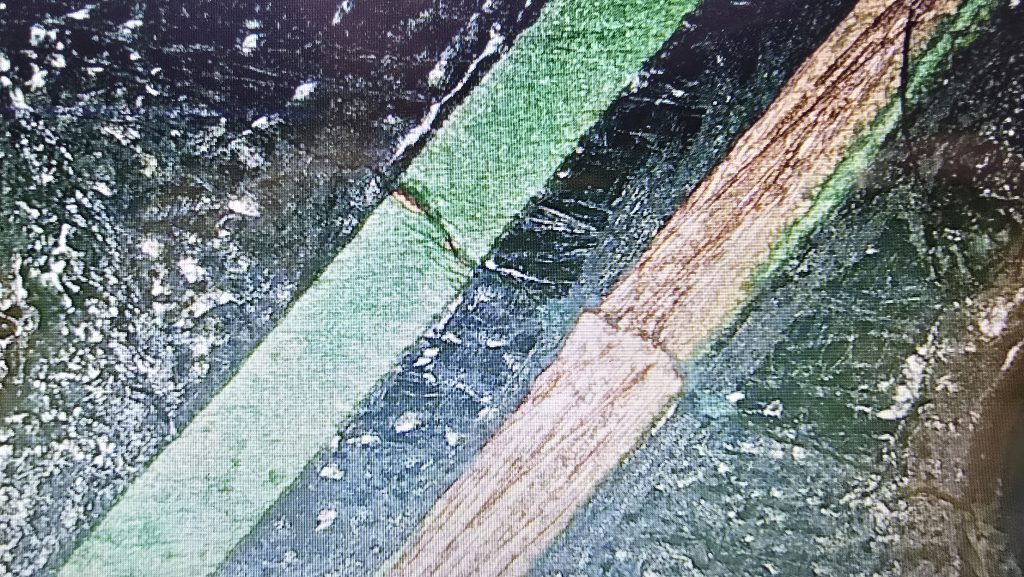
I dragged out the schematics and did a quick glance around for something that was only connected to the first 8 address bus pins. There was one very obvious candidate, a 74LS374 transparent latch IC that sat between the address bus and the ROM chip. Looking at the inputs of this IC showed they were nice and strong with no issues, but all the outputs were low, as shown in the picture above.

I suspected that this chip was faulty, but it could still be another IC on the board pulling the outputs low. So to test for that, I snipped one of the output pins so it was floating, then measured again. Exactly the same issue. At this point, I then removed the IC from the board, ready for the replacement chip to arrive.

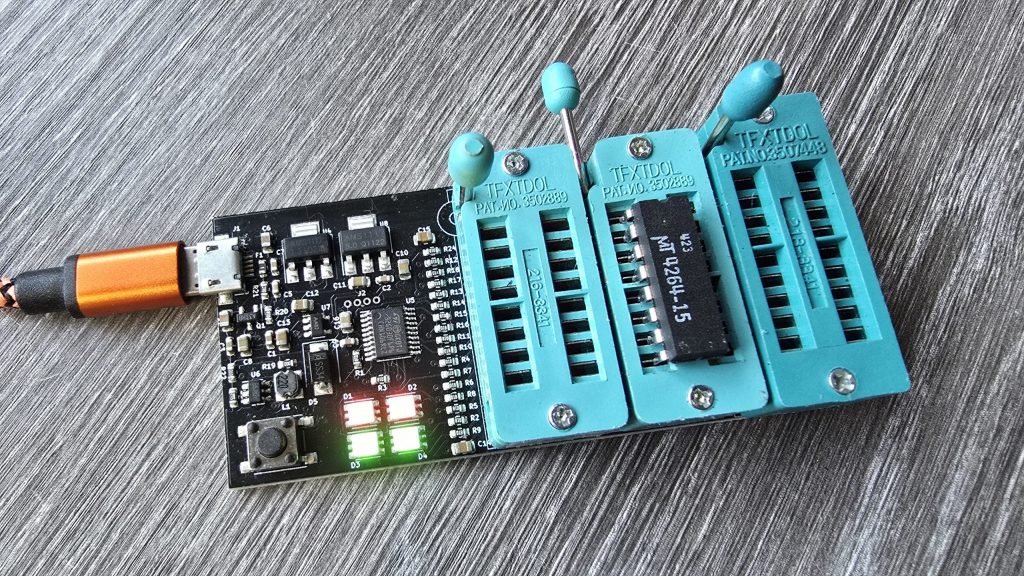
Now off the board, I tested the chip in my chip tester just out of curiosity. It did indeed state that the device was faulty. I will be testing the new ones when they arrive, as I’ve not used this chip tester before, so not sure how much trust to put into it yet.

All I need to do now is await the delivery of the new IC and hopefully, this classic synth will be back up and running again. I will of course update everyone with the result, and hopefully this is the only fault 🙂

Posted on 3 Comments

Will new generations of people experience technology related nostalgia in the same way I do? – Part 1

During a 3-hour car drive today, my brain got bored, and I started to think. This normally ends up being expensive, but this time, since I was driving, I used my time to ponder the question: Will nostalgia for technology still exist in the future?

I was born in 1979, so my childhood memories come from the mid-eighties up to the millennium (although I swear I have never really grown up!). During this period of time, technology was forever changing, and with each change came a giant leap in what technology was capable of. Each one of these jumps signifies a section of my life which I have become nostalgic for as I grow older. This isn’t just video games, but also music and video technology.

So now lets take someone born in the year 2000, we will call him Jim. Lets say Jims childhood memories go from 2006 to 2021. Obviously, technology was still changing continuously throughout this period, but everything always felt like a slightly incremental upgrade rather than a defining event in history. So will these upgrades still bookmark periods of time during his childhood like they did for me?

Let’s start digging into this 3-part journey with the obvious topic, home computing and gaming!

Home Computing and Gaming

My journey in computing started with 8-bit home computers and specifically the ZX Spectrum 48k, the little rubber-keyed wonder. For many, this was the first time a computer entered the home. For me, it started a love of video games and later on also programming. The graphics were simple, the sound was beyond basic, but when combined with the power of the mind, I could sit in front of this little computer and go on adventures that I could never dream of. All it took was to power on the computer, load a cassette tape and wait for 5 to 10 minutes for the game to load. This sounds like torture, but to me, it made loading each game an event in itself. After spending that time loading a game, you would feel compelled to actually play it and try to complete it before your parents came along and powered it off for bedtime.

I also had a friend up the road from me who had a Commodore 64, which I used to spend ages playing classic games such as Ghostbusters and Donald Duck’s Playground. I always remember feeling slightly jealous of this system, with its lack of colour clash and that gorgeous SID music. But back then, it was the computer that you had at home that you fell in love with, and the Spectrum was what bookmarked all those childhood memories for me.

The rest of the 8-bit period for me was filled with the 128K +2 and then later onto the Sam Coupe. I was always in the home computer camp, rather than the console crowd. I didn’t just want to play games; I wanted to tinker with the system and learn how they worked. For many though, the 8-bit consoles also became a big part of their childhoods, with the Master System and the NES being popular options in the UK. Although I didn’t really know many people who had consoles at this time, I feel they became a bit more mainstream during the 16-bit generation.

I didn’t really have any 16-bit machines at home until later on in life, but a lot of my friends did, and this was the time of my life I spent visiting their houses and experiencing games on a whole bunch of different systems. I had friends who owned various home computer systems, such as Amigas and Atari STs, then the console friends with SNESs and Megadrives. These systems were amazing when they hit the market. A huge uplift in graphics capabilities and music that sounded like actual music rather than the bleeps of the past (Apart from the Atari ST, which seemed to have missed the memo and used the same sound chip as the Spectrum).

During this period, we also started to get TV shows in the UK dedicated to computer and video gaming. The two most notable were Bad Influence and Games Master. I used to watch these after school to check out the latest games and technology heading our way. One of the biggest moments for these shows was when they started talking about the upcoming next generation of super consoles. These would consist primarily of the Sega Saturn, the Sony PlayStation and the Ultra 64 (Later released as the N64). Yes, we also had the Atari Jaguar and the Amiga CD32, but it was fairly obvious from the beginning that these systems had missed the mark.

We were dazzled with videos of amazing visuals, full 32-bit 3D gaming. This was probably one of the biggest jumps in video gaming that I saw in my childhood, and it all became a reality for me shortly after the launch of the PlayStation. I went into Barnstaple, my local large town, and visited the Sony Centre. In the corner, they had a 28″ Trinitron CRT hooked up to the Sony PlayStation. A grey, futuristic-looking console that no longer looked like a kids’ toy, but instead would comfortably sit alongside your home entertainment setup. I crouched down and picked up the controller to experience my first game, a 3D spaceship racer named Wipeout. I remember flying around the track constantly crashing into the sides, then I went over a huge jump and almost fell over sideways.

A short while after this, a friend of mine got his very own PlayStation. It came packed with the Demo 1 disc. Hours of our lives were spent playing the various demos on the disc. The T-Rex demo, the Manta Ray demo, we spent an insane amount of time staring at these stunning technical wonders. Then there were the games, A robotic rabbit that we would come to know and love as Jumping Flash! Then there was Battle Arena Toshinden, where we would just randomly press all the buttons on the controllers as we had no idea what the combos were. I ended up with blisters on my thumbs from playing this game, just trying to get Fo to do his special move, where he seemed to be farting light orbs everywhere for some reason.

Shortly after my brother got his very own PlayStation, I was treated to my very own for Christmas. This was mainly to stop the constant arguments of me sneaking into my brother’s room when he was out to play on his.

It was also during this period of my life that I started to get into PCs. I started with an Amstrad 286 that I got for £50 from a guy I knew via the CB radio, but it was already outdated when I got it, and I soon wanted more power. So I did some research and built my very own AMD-based 75MHz PC. This then started a lifelong love of PC tinkering. Owning a PC during this time also enabled other modern technologies, such as the Internet. I used to wait until my parents had gone to bed so that I could take over the phone line, then dial up to the internet and explore a whole new world. Although I had to do it as quickly as possible because at the time, it was costing 2p per minute in phone calls. But once Freeserve came along with an 0800 number freephone dial-up service, I was then permanently connected and had to have my own phone line installed in my bedroom to free up the house phone.

Around this time, my PC tinkering hobby started to combine with my newfound love of consoles. Emulation was one of the new technologies that made me try to always keep my PC upgraded to the latest and greatest CPUs and GPUs. The ability to now run the 16-bit console games on my home PC was some sort of witchcraft. This then started the obsession of trying to get downloads of every game available and to test them all to make sure my PC could run them smoothly. It feels like I must have played the first couple of minutes of every game in history, just to make sure all the graphical effects worked as intended and that I wasn’t dropping frames.

Another game-changing technology then appeared, the ability to burn your own CDs at home. This was shortly followed by a rumour that my friend and I discovered on the internet. Apparently, it was possible to copy PlayStation games and then get them to load by swapping the discs in a specific order along with an original game. Surely this couldn’t be true, but we copied a game, and I sat there on the floor trying to replicate this trick. It didn’t seem to be working, and we were about to write it off as a hoax when suddenly I realised my game was booting. After a few more attempts, I was able to get the copied games to consistently boot. Our mission to rent and copy every PlayStation game possible began at that very moment.

Although this was now pushing the term childhood a bit, the early 2000s saw the Sony PS2 make its appearance, and it offered another huge leap in graphical capabilities. Gone were the large blocky polygons, and in came smoother, crisper visuals and faster frame rates. We also saw the first proper open-world 3D games with the launch of Grand Theft Auto 3. To me, this really felt like the last meaningful jump in video gaming graphics.

So now let’s take a look at the history of little Jim. By the time he got into video games, he was sitting in front of the Sony PlayStation 3, then moved onto the PlayStation 4 and finally onto the PlayStation 5. I know I’ve simplified this a bit, but let’s just summarise these two childhoods in a series of screenshots.

Here is my childhood summed up in video game screenshots:

Manic Miner (Spectrum), Treasure Island Dizzy (Spectrum), Lemmings (Sam Coupe), Slightly Magic (Amiga), Sonic the Hedgehog (Megadrive), Zelda: Link’s Awakening (SNES), Jumping flash (PlayStation), Wipeout (PlayStation), Ridge Racer V (PS2), Tomb Raider Legend (PS2):

And now here is little Jims:

Grand Theft Auto 5 (PlayStation 3), Grand Theft Auto 5 (PlayStation 4), Grand Theft Auto 5 (PlayStation 5)

Now obviously, those timelines were done a bit tongue in cheek, and games have come along since GTA V, but I don’t think my thoughts are far off. Do the various generations of video games from 2005 onwards have the same defining moments as they did during my childhood? And do the younger generation have any nostalgia for slightly lower resolutions and 30FPS? It seems to me that if anything, the younger generations are actually borrowing our nostalgia, with a lot of them having a keen interest in the retro computers and consoles from our era. Is this because we had something that they no longer do?

I really do feel that I grew up during the best time in computing history, seeing everything move from something so basic to the amazing visual feasts we have today. I just can’t see that rapid evolution will ever repeat itself again.

Well, this was the first hour of my three-hour car journey. In the next part, we’ll take a peek into the evolution of music technology — how formats changed, how physical media evolved, and how our listening habits were transformed by streaming services.

Posted on Leave a comment

The new website design is live!

After a couple of months of recategorising everything and making sure all the redirects are in place. The new website design is finally live.

There are probably still a few kinks to work out, I need to put the projects section back in place, and I still need to find a way to move the previous comments on various articles over in bulk rather than one at a time. But it’s a start!

The new design should hopefully allow you to navigate around the site much better, especially on a mobile device. I hope this is an improvement on the old site.

Instead of a load of blank pages, I have also used some AI (Yeah, I know, but I really didn’t have time to write over 120 articles yet) to create some place-holder information. I will, over time, go back and write my own articles for everything, based on my own experiences, and these articles are tagged so you can easily find articles written by me and filter out the AI crap!

I have tried to do basic fact-checking on the AI-based articles because it did make up some complete nonsense at times. As a fun game and try to find its other mistakes 🙂

Anyway, have a browse around, there are some additional systems on here that I noticed were missing from the old site, with some more still to come.

Hope you enjoy the new experience!!

Posted on Leave a comment

I’m on the Retro Hour podcast!

Every now and then, I decide to do something well outside of my comfort zone. So when I was messaged by Ravi from the Retro Hour asking if I would like to be on his team for the yearly Christmas quiz, I decided to say yes before I started talking myself out of it!

We recorded the show on the 14th of December, and it was released on the 22nd. I won’t spoil anything, so be sure to listen on your favourite podcast service or on YouTube, as they now do a video version of the show.

If you haven’t come across this podcast before, I highly recommend exploring their extensive backlog of episodes, as they have featured some amazing guests in their interview section.

I was so nervous going into this, but I made it through and managed to answer some questions, so I’ll call it a success 🙂

Link: The Retro Hour Podcast

Posted on Leave a comment

A new CRT for the 3DFX

After fixing the 3DFX card, I sat back and looked at the LCD monitor I was using, and decided it just wasn’t right for the system. But the problem was, I’d ran out of suitable CRT monitors.

I did spot one in a skip at the local recycling centre a few days back, but as usual, you’re not allowed to actually recycle, and it was destined for the landfill somewhere instead.

So, since they are so hard to get shipped without being destroyed in the post, I decided to put a wanted ad up on Facebook marketplace. To my surprise, I actually received a message today from someone saying they had one, just a few minutes up the road from me.

I went up to collect and met with a very nice guy with a 17″ e-machine CRT monitor in immaculate condition. I couldn’t believe my luck, it was exactly what I was after. And, he wouldn’t even accept any money for it, he was just happy it was going to a good home.

After getting it home, I gave it a quick clean and hooked it straight up to the VooDoo card.

It looks great sitting next to my Windows XP gaming PC.

The next step is to set up the network card so I can get some Grand Theft Auto multiplayer action going on.

Today was a good day 😀

Posted on Leave a comment

3DFX Repair – Diamond Monster 3D VooDoo 1

I already have a few retro PCs in my collection, but I was missing one specific era, and that was the era when the 3dfx VooDoo cards hit the shelves. A friend of mine got one for his pc, and it was a complete game-changer back then. Everything went from blocky-looking textures to gorgeous, smoothed polygons.

The price of VooDoo cards is now quite high, costing around £120 for a working one. But where is the fun in buying a working one when you can buy spares and repairs for a 3rd of the price 🙂

So for 39.99 inc postage, I picked up a Diamond Monster 3D VooDoo card. I had a small concern that the previous owner had admitted to fixing a couple of traces, which meant he had at least attempted to repair this card and had not succeeded. So could I do any better?

I gave the card a quick clean and inspected the traces that he had already repaired. I guess this card was chucked in a box at some point and had gotten scratched. They looked fine, but I re-did them just in case. I also noticed a couple of missing capacitors. There were only decoupling caps, but I replaced those anyway.

The next step was to test it out and see what state it was in. And things were not looking good. I ran the 3DFX diagnostic utility mojo.exe from DOS, and it just hung the system straight after DOS4GW.exe was loaded.

So I then tried booting into Windows 98. Amazingly, it did actually detect the card and installed the driver, but once installed, I got a yellow exclamation mark saying there was a resource conflict. Hmmm, that’s a bit odd. Just as a test, I went into the card settings and changed the memory address to a different one that wasn’t conflicting. I then launched the command prompt from Windows and tried mojo.exe again. This time, I got a different result.

Some noteworthy things here are that it was at least detecting the card now, but no memory on the card and the error code 0xdead didn’t fill me with confidence. The Bogus number of TMUs 57005 error is also hexadecimal for the word DEAD.

The above test gave me some clues, and I started to wonder exactly how a memory space gets assigned to a card when a PC turns on. Without changing the address in Windows, I was still just getting a complete hang in DOS, so it seemed this initial process wasn’t working properly.

I read a whole bunch of docs and figured out that when a PC turns on, the motherboard will probe the IDSEL pins on each PCI slot and communicate with the device on each slot to get the vendor ID and hardware ID. This part must be working, as Windows detected the device.

The next step involved BAR registers (Base Address Registers). This sounded promising. Essentially, each PCI device can have up to 6 BARs. When the card is initialised, these BARs will be queried, and the result of these queries will tell the PC how many chunks of memory space or I/O space the card needs to function. This part of the process is reliant on the PC talking to the card over the PCI address bus. If this process failed, then the card could report that it needs either an incorrect amount of memory or all of it!

At this point, I had already reflowed all the pins on the FBI chip and TMU, as I knew this was a common failure on these cards. But the problem remained, so I needed to check all the address lines. I tried to find a nice picture of the PCI slot pinouts, but since the card doesn’t have all the pins present, it was difficult to work out the pin numbers, so I went with a different approach. Every pin on the 3D X card should in theory, be connected to the FBI chip. So I put my meter on continuity, put one lead on the first PCI card pin and then ran the second along all pins of the FBI chip. As long as I got at least one beep somewhere, I assumed the pin was connected fine.

I eventually came across one pin that didn’t seem to be connected to any pin on the FBI chip. So I followed the trace from that pin and found a smoking gun!

Checking continuity between the PCI pin and the via after the break confirmed that there was no continuity. So I carefully scraped away at some of the solder resist and placed a bodge wire across the gap. After confirming connectivity, it was time to do another test.

Result!!! After booting directly into DOS and running mojo.exe again, no hanging and everything looked good to go.

So once again, I booted into Windows, this time with no device conflicts. I ran one of the 3DFX demos, and it launched fine, but with one small issue. I could see a pattern of dots on some of the textures.

This was a different fault now, so it was time to move my attention to the TMU chip instead. After carefully inspecting my re-flow work, I noticed the slightest solder bridge between two pins relating to the address bus between the TMU and the memory chips. After clearing this final issue, everything is now working perfectly and I am in possession of a fully working £39.99 VooDoo card.

Posted on 1 Comment

An ambitious and not 100% successful repair attempt – Epson HX20 LCD Board rebuild

I decided I wanted to pick up an Epson HX20. The fact that it has a built-in dot matrix printer seemed like it would be a pretty cool thing to mess around with.

After a bit of research, I discovered the main issue is that they came with a Ni-Cad battery installed, which usually leaks and causes damage to the computer. But a bad trace or two should be a simple enough fix, right?

So I trawled eBay and found a spares and repair unit for a cheap price. After all, I didn’t want to spend much on a computer that has a high chance of not working. And the majority of these computers are sold as untested or spares and repairs for that very reason.

Well, the device turned up, and upon unpacking it, I could already smell the leaking battery, but this was expected, so I took it apart to check out the LCD board, which normally takes most of the damage. I gave it a quick inspection to see if any damage was visible. And, well, yes, there was some visible damage lol.

From what I could see, a large number of traces were destroyed. So let this be a warning to anyone who is going to take a chance on one of these, if it’s “untested”, this is probably the state of it!

I downloaded the schematics and started testing the connections and marking off which ones were not connected. After a while of doing this, it became apparent that this board was pretty much destroyed. But I didn’t instantly give up (Although I probably should have).

I wanted to try one other thing: could I actually remake the board from scratch? This was a very ambitious project, and I didn’t really hold out much hope, but I think on the first attempt, I actually got a lot further than I expected.

I spent quite some time designing the PCB and re-creating some of the components in Easy EDA, as they weren’t in any of the libraries. The LCD screen for example, needed to be measured precisely and drawn manually.

Eventually, I ended up with this:

I had to manually route quite a lot of the connections, as the auto routers just couldn’t work it out, even on a 4-layer PCB.

But eventually, I ended up with a PCB that said all traces were connected. So I took the plunge and placed an order with JLCPCB. When they arrived, I then had the next challenge of unsoldering all the original parts and re-fitting them to my new PCB.

It was then time to give it a test. Would I see anything? Would lots of smoke pour from the display?

Well, to my surprise, it actually kind of worked. The main issue I had though, was that the alignment and fitment of the LCD screen wasn’t perfect, and I think the pin spacing was also very slightly out.

So, to be fair, I think I did a pretty good job and probably went above and beyond what anyone else would do to try and recover one of these computers.

I have proved that the actual computer itself is working fine, but I didn’t test the printer or tape drive on this unit. Now I have one of the boards made up, which I can directly compare against the original board, I can see some errors that if corrected, may actually get this working again 100%.

The problem is, changing these parts means a complete re-route of all the PCB traces again, which was quite time-consuming the first time around.

For now, I took the coward’s way out and purchased another HX20, which is nearly fully working and the only issue is with the cassette drive, which I think I can handle! I also tested the expansion unit from the old machine and tested it with the new one, so confirmed that it works fine.

So here is the new machine in all it’s glory!

I think I may give the LCD board another go, as it would probably be useful to the community to recover from this common fault on the HX20s. But, I also think I may take a break for a little while first, as my dreams have been haunted by routing PCB traces

Posted on Leave a comment

Fujitsu PCTV – Switching to Scart input

Ok, so the information in this post is pretty niche. I’m only aware of 4 of these computers in existence and currently none of them have the original remote control.

Mostly, this isn’t an issue because you can control the majority of the TV functions by the buttons on the screen. But ever since I’ve owned this computer, I’ve never found a way to switch to the scart input.

Over the last couple of years I’ve poked and prodded around to try and find out how the system works, through dissambling the DLL files I discovered that the computer and TV talk to each other using the I2C protocol. I also found that the 10pin connector that plugs into the riser board contains the SCL and SDA lines needed for the I2C protocol.

Today, I was having another play around and decided to hook up some wires and start sniffing the I2C bus to see if I could work anything out. The only issue is I forgot which pins they were! So I probed around and quite quickly found the SDA line, but wasn’t 100% sure which pin was SCL as none of them looked like what I expected and it had to be there.

I decided to hook up some dupont cables and just connect the known SDA wire and the ground wire, and then I would use the 3rd wire to go through each pin and work out which wire was SCL.

To do this, I would connect a wire, boot into windows and use one of the known “hot keys”, CTRL+ALT+T. This hot key tells the TV to switch to TV input, then you can use CTRL+ALT+P to switch back to PC.

This can also be achieved by pressing the two volume buttons together at the same time on the front of the unit.

This is where things happened that were VERY unexpected. Just using my 3 wires, I found the 3 pins where the hot key worked, so I must have located the SCL line. Great! But when I pressed CTRL+ALT+T a second time, the TV switched to the scart input!

What the hell! I pressed it again and it switched the AV2 which is the phono ports for composite input. Each time I pressed the key combination it cycled through the 3 inputs.

I really thought I’d gone mad. Surely all this time it wasn’t as simple as pressing the hot key multiple times? Somebody must have tried this! (Including me!)

I removed my jumper cables and plugged the original connector back in and booted up the PC. Pressed CTRL+ALT+T and it switched to the TV as expected, I then pressed it a second time and…….

Nothing! It just stayed on the TV channel. Something odd was going on.

I reverted back to my 3 dupont wires and once again I could switch inputs. So I then started connecting the remaining wires one at a time and testing the hot key. As soon as I reconnected the black wire, I was no longer able to switch inputs.

Without the black wire connected, the CTRL+ALT+P hot key to switch back to PC input no longer works, but you can still switch back to the PC by pressing the two volume buttons.

This was a very random discovery, and I’d love to take full credit for it, but it was pretty much blind luck that I stumbled onto this.

I do still want to investigate this further, as I am sure there is a shared memory address somewhere that if I configure a certain way it will send I2C codes to the TV. And now I can switch the inputs I want to capture the I2C commands and see if they are any different with the black wire connected vs not connected. But that can wait for another day now.

For the time being, I’ll just sit here and play a bit of Super Mario on my NES, hooked up to the PCTV via scart cable 😀

Posted on Leave a comment

Sharp Twin Famicom

In the UK, we had the Nintendo Entertainment System. But over in Japan, there were a few different systems released. One of these was made by Sharp and was the Twin Famicom. It took the normal Famicom cartridges but also included the Famicom Disk System which was an add on drive which allowed games to be played from a proprietary floppy disk.

I can’t resist things with floppy disks, so when one of these came up for sale on one of the retro Facebook groups with a bunch of cartridge games and some floppy disk games, I had to get it.

I have now also obtained a Famicom Everdrive style SD cartridge for the unit and also an FDS Key which I will do a seperate write up about soon. It’s essentially a floppy drive emulator, but with it you can also transfer downloaded FDS games onto the original floppy disks, which I thought was kind of neat.

You might wonder why I would want to overwrite original games, but these disks were designed to be written too. Over in Japan you could take your disk into a store, purchase a game and then using a special kiosk it would write the game to the disk and you would take it home and play it. Pretty neat concept for it’s time.

I look forward with having a play around with this system to see what it offers over the standard NES that we got in the UK.

Posted on Leave a comment

Sony Trinitron KV-28FX68U Repair

Whilst sat browsing Facebook one day, I saw a post from someone local asking if anyone had a CRT for sale as theirs had broken, and they included a photo of their lovely 28-inch Sony Trinitron TV. I messaged him and asked what the fault was, and apparently the picture went off and was now just blinking the power LED with 2 blinks, which according to the service manual translates as Over Current Protection (OCP) triggered.

I said that if he was going to bin it, then I would like to pick it up and attempt to repair it. After all, you can’t really learn to repair stuff without having some broken ones to fix.

A couple of weeks later, he messaged me to say if I wanted to pick it up, then I could have it. So I got in the car and went and collected it. With some help from the Mrs, we got it home and down into my workshop, where I could then start my testing.

The first thing I needed was lots of information about CRT TVs and exactly how they work. And for this, I highly recommend watching videos by Randy Fromm on YouTube (Start with this one) After watching those, I had a very good understanding of what I was looking for. Even so, this Trinitron turned out to be quite a puzzle.

The first thing I did was test the TV to see what happened when I powered it on. And just as the guy had said, upon powering on, all I got was a blinking power LED flashing twice, then pausing and repeating. The issue with this error code is that it isn’t really very descriptive. Basically something, somewhere in the TV was apparently pulling too much current.

The other thing I noticed was that I wasn’t hearing any high voltage at all. Normally, when you power on a CRT, you will hear a crackling sound from the high-voltage circuit. So I downloaded the service manual for the set and started to look at all of the voltages to start with. This wasn’t that easy, because as soon as the TV detected the overcurrent, it shut down the power supply! Luckily, I have an oscilloscope, and this meant I could visualise the voltage for the very brief moment it was there.

From what I could see, the main voltages were present, specifically the 135V B+ voltage, which would go on to generate the high voltage via the flyback transformer. Another common fault on CRTs is the Horizontal Output Transistor; without this part working, you won’t get any image on the screen, and that part could easily pull too much current if it were to be faulty. But after testing it, it looked fine to me, and on my scope, I could see the required 135V pulses being sent to the flyback. So I really expected to hear some high-voltage crackling when the set powered on.

After looking around, I found that two fusible resistors had blown, which were right next to the flyback. I was hoping that they may have been the cause of the issue. But I wasn’t going to be that lucky, and after replacing the resistors, there was still no life in the set.

At this point, I decided I needed to test or replace the flyback. Unfortunately, I didn’t have any way of testing it at the time. So I looked around and luckily I found a replacement flyback on eBay from Malaysia. The part was new old stock, so I snapped it up and waited for it to arrive.

Fast forward to delivery day, and I swapped the flyback over, held my breath and hit the power button. For a split second, I heard a nice static crackle from the CRT, and then it shut down and sat blinking its LED at me. At least this proved that the flyback was indeed faulty.

The next few weeks were slow and painful. My bedtime reading was the schematics for all the various boards inside the TV. Every now and again, I would have an idea of something to test, so I’d run down, test it and come back to bed depressed that it still wasn’t working.

I went through all of the test points on the CRT and compared the waveforms to what was in the service manual and I just couldn’t find anything wrong.

I then had an idea, a potentially dangerous idea which I don’t think I would recommend to anyone! But I had basically run out of things to try.

The way the Over Current Protection circuit worked, is that it measures the voltage drop across a resistor and if that voltage drop was too high (two much current) it would trigger an OCP line that originates from the power supply board and gets sent to the microprocessor board which would then shut down the TV.

So what if I simply disconnected the OCP wire between the power supply and the processor? It wouldn’t get the OCP signal and would keep the TV running. Maybe then, whatever part was causing the issue would very quickly get hot, and using my thermal camera, I could see where the issue was.

Either that, or it would burst into flames and I wouldn’t need to worry about repairing it anymore 🙂

So, I pulled the OCP wire out of the connector block, pointed my thermal camera at the back of the TV and nervously hit the power button.

And……..

It came on and just worked. I carried on looking around with my camera, but nothing looked wrong. So I left it running for a while and carried on monitoring the situation. After about 20 minutes, everything was still fine, so I powered it off, reconnected the OCP wire and was straight back to a blinking light again.

After scratching my head until I had no hair left, my conclusion was that there wasn’t an overcurrent issue, but actually an issue with the overcurrent protection circuit itself.

I took a look at the schematics for this section of the board, didn’t understand how on earth it was supposed to work, so I went and watched some videos about over-protection circuits. The main thing seemed to be that for the OCP to trigger, there would need to be a large voltage drop across the current sensing resistor, but I was getting a 0.13V drop, which seemed perfectly fine to me. So the next step in the circuit was two transistors, which would monitor that voltage and turn on when overcurrent was detected. It looked like one of the transistors was outputting the OCP signal from its emitter, but with the voltage being in spec, there was no reason why it should. So, just for completeness, I swapped out both of these transistors as there wasn’t much else left that it could be.

After replacing these parts, I finally had a fully working CRT again and was able to reconnect the OCP wire.

So the moral of the story, although these newer CRT sets have the luxury of running their own diagnostics. Don’t just blindly trust what they are saying, and don’t rule out the fact that the diagnostic circuit itself could be the fault!

I would also like to point out that although this story seems quite short, these events were spread out over 6 weeks! But I do feel I have learnt a hell of a lot about CRTs on the journey so for that I am quite happy with myself.

Nothing left to do now but kick back and play a bit of Jumping Flash on the PlayStation to celebrate my victory 🙂