Posted on Leave a comment

Another PS4? Why? To Jailbreak of course!

With the release of the 9.00 firmware jailbreak, I was very keen to have a play around with modding the PS4. Unfortunately, my daily driver is used in the bedroom and kept up to date to access internet features. Luckily I found a Facebook marketplace bargain and snagged this older version 1TB PS4 for £80. The power button is faulty currently but it turns on and off fine via the controller, and I may fix the power button one day if it bothers me enough.

Anyway, after watching a few videos online, my PS4 was modded with GoldHEN. The method I have chosen to perform the jailbreak is using a raspberry pi zero. Since the jailbreak needs to be done every cold reboot, someone has designed a raspberry pi build that not only hosts the exploit web server but also emulates a controller to auto navigate through the menus and then switches itself into USB emulation mode to perform the exploit. This is a really nice solution to this otherwise mildly annoying problem. More details of this can be seen HERE

So now this is modded I am able to load any PS4 PKG files onto the consoles, this includes backups of retail games so you can store them all on the HDD and not need to worry about inserting discs anymore.

The downside is there is no access to online services, but that’s is what my main PS4 Pro is used for so I have no regrets 🙂

As you can see I also went for a retro-style skin on this console to differentiate this one from my main console.

If you are interested in doing this jailbreak and your console is running firmware 9.0 or below then I recommend checking out the MrMario2011 videos on YouTube.
Posted on Leave a comment

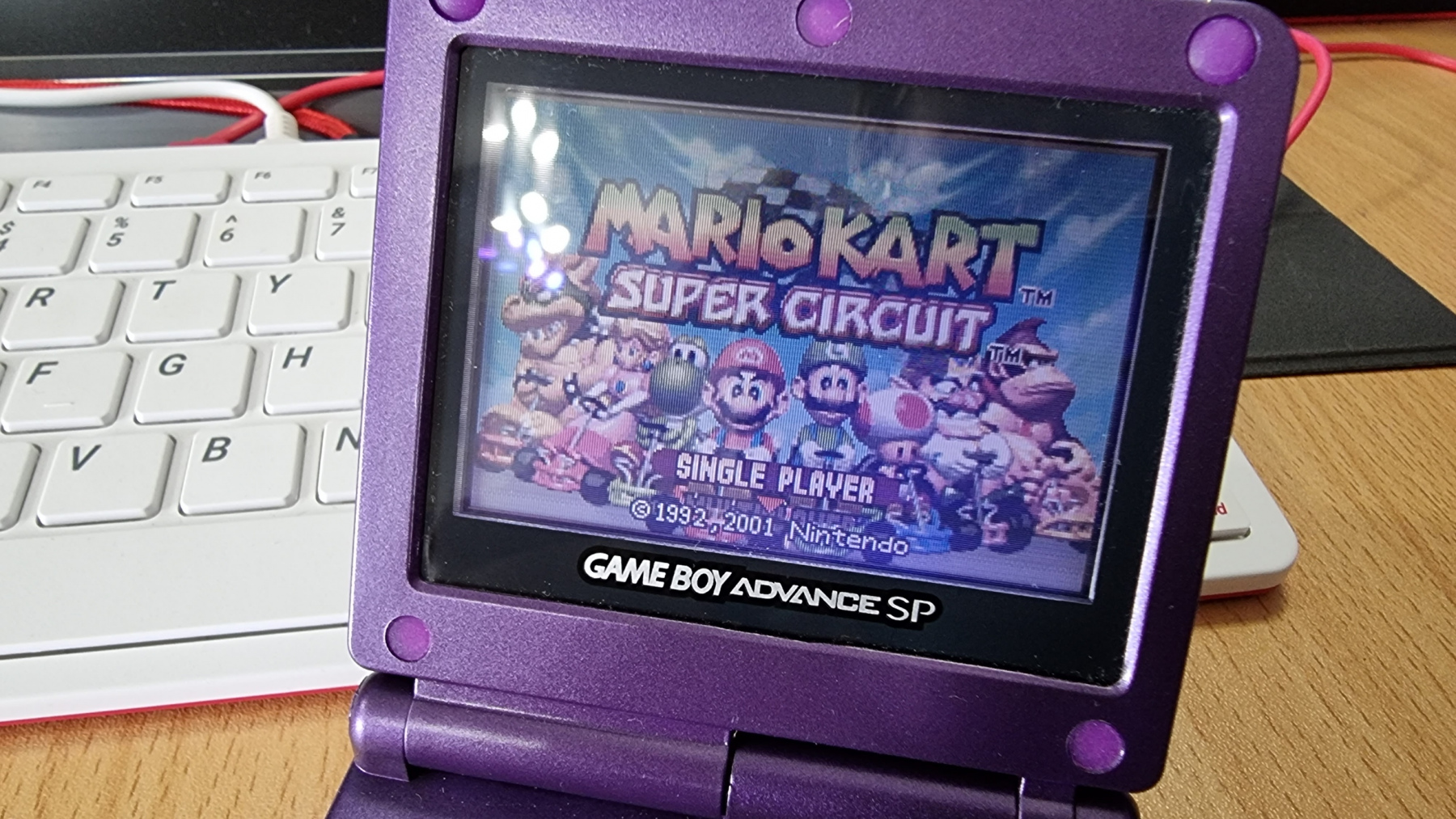
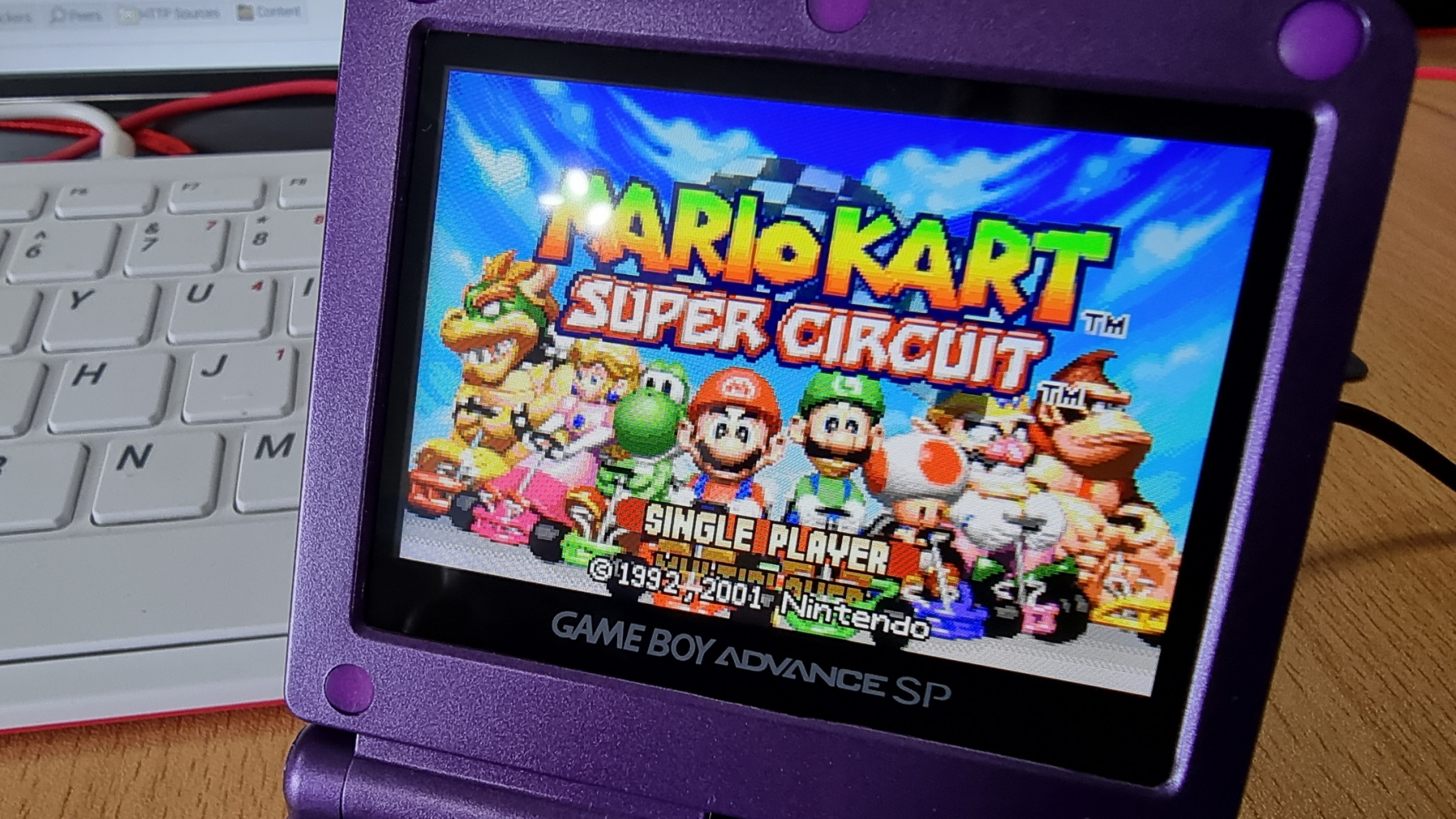
GBA SP IPS Screen Mod

After fitting a new case to my £4 car boot find GBP SP, it was looking as good as new. But the screen on these things isn’t exactly the best. They are front-lit LCD screens and as such, they are not very vibrant. Since this GBA SP was never going to be kept as an original example of the console, I decided to treat it to a modern LCD replacement.

Click the images below to see a close up of the picture quality.

This screen was £31 from China and I think the results speak for themselves. It looks gorgeous now and has become a very useable device.

Fitting was very easy and no soldering is actually required, but you can solder a single wire to have the brightness control working. I also had to do some minor modifications to the insides of the case to allow the top part of the shell to close together. But even with that, the fitting took no longer than 30 minutes.

Posted on Leave a comment

Sam Coupe HDMI Interface

Some of you may be familiar with RGBtoHDMI project (https://github.com/hoglet67/RGBtoHDMI) Which uses a raspberry pi board to convert the RGB signals from old computers into a HDMI signal for modern TV’s.

It was originally designed for the BBC Micro but was then extended to include other computers such as the Spectrum and the Amiga.

I popped over to the GitHub one evening and posted a message to see if in theory, the project would work with the Sam Coupe. A couple of messages later and IanSB had already implemented theoretical Sam support into his fork of the project.

So my next step was to build up one of the 12bit boards and wire it up to the Sam to see if it worked. And it did!!

It all powered on first time and the picture quality was absolutely perfect. All I had to do was center the image on the screen.

Once I had proven it was going to work I then made a prototype of the interface board that would connect this up to Sam. I am planning on designing a proper PCB for this part now it is all tested.

I then knocked up a quick case design in Sketchup and printed it out on the 3D Printer to give it a slightly more professional look. I even fired up the Vinyl sign cutter to give it a Sam style logo 🙂

And there we have it. The worlds very first (As far as I know) Sam Coupe HDMI Interface! Once I have the PCBs made up I’m probably going to build up a few of these as there are a number of people interested. But I will be releasing all the files so anyone can construct their own as I don’t want to spend the rest of my life soldering boards and the SMD components on the RGBtoHDMI board are a bit fiddley. Hopefully, I will get a bit better at them the more I do 🙂

Posted on Leave a comment

Amiga 500 RGB HDMI

I have seen a few YouTube videos about this little device. It is an adapter board that plugs into the original Denise chip socket on the Amiga 500 and then has a raspberry pi zero connected into it. This then allows the Digital RGB signal directly from the Amiga to be output via the HDMI of the pi giving a pixel perfect digital output.

The actual RGBtoHDMI project was originally designed for the BBC Micro but has since been adapted to work with many other retro systems. The Amiga version requires an adapter board designed by C0pperdragon and can be found here.

The adapter boards are available for purchase but the waiting list is apparently quite long so I decided to get the bare PCBs ordered from JLPCB and ordered the components from various places and then built my own over the weekend. Suprisingly it worked first time!

The only issue with using it on an Amiga is that it doesn’t output the audio, so you either need to connect the audio up to an amp via phono cables or get a device to inject the phono audio into the HDMI signal. I have ordered one of these from China so will test it when it gets here to see how well that works.

Posted on Leave a comment

My Atari Portfolio goes online :)

After many months of waiting and monitoring eBay. I finally managed to acquire a serial interface for my Atari Portfolio 🙂

So now along with plugging it into cash machines to take out as much money as I want, and breaking into the secure areas of Cyberdyne Systems, I can also connect up to my WiFi network and browse the BBS’s

Incidently my WiFi network is named “SKYNET” so it’s pretty cool when I connect the Portfolio up to the ESP 8266 based MoDem to see the phrase “Connected to SKYNET” showing on the screen. It’s the simple things that make me smile.

Posted on Leave a comment

Going online with an Amstrad Notepad??

I never imagined that this would actually be possible. But whilst I was looking around retro projects recently I came accross another ESP8266 based WiFi MoDem project. This one connects up to any device using a standard RS232 Serial Port.

Reading through the project it mentioned some of the computers it works with. The Atari Portfolio was listed as compatible which is what I was searching for so I will be having a play with that once I can source the serial port adapter for it.

But also in that list was the Amstrad Notepad NC100! I knew this already had a serial port as I used to use it for transferring my school homework over to my PC back in the 90s. But I never thought about the fact that it had a terminal emulator built into it.

So I build the modem, designed and printed a case for it then turned on the NC100 and hit Function key + S. After a few config changes in the menu I was ready to go. Setting up the WiFi network was easy and is all done through a text driven menu.

Then it was just a case of using the atdt command to connect up to one of the many BBS’s still available.

Now obviously the experience isn’t perfect as the notepad has an 80 x 8 character display. But I found a few BBS’s that actually allowed that to be configured and it worked perfectly!

I wish this would have been available back in the 90s, would have made my english lessons much more bearable! I could have done it back then with a dial up modem and a telephone line, but I am guessing the teacher would have noticed that even if they had no clue what it was.

Posted on Leave a comment

YouTube: C64 Component Video Mod

I have recently purchased and fitted a component video mod for the C64 from videogameperfection.com

I bought this as I got a second OSSC for the bedroom and then discovered that the C64 cannot do any sort of RGB output so it didn’t work.

After fitting this the image quality is now amazing. Never seen it so sharp.

This is the first of what I hope to be a series about modfying retro computers and consoles to get the most of them in modern times 🙂