Posted on 2 Comments

RISCy business – Risc PC600 Repair

I’ve been fairly busy recently and even though I’ve still been doing a lot of stuff with retro hardware, I’ve not found time to update this site. So I need to catch up, starting with this one which I have actually had for over a year but I knew it wasn’t working so has been sat in my pile of things to fix.

This is the Acorn Risc PC600. As with nearly all of these units, it came into my hands with battery damage. The leak was pretty bad, so the first step was to cut the battery off and clean it all up.

I then purchased an Acorn POST box interface which would allow me to easily read the power on self-test error messages on startup. Upon powering it on it showed that the CMOS was unreadable and it had sirq and virq errors (Sound and Video). Reading up on these it is usually caused by the buffer chip and the resistor network chip next to the battery, no longer being connected to the vidc chip. Using a multimeter I jotted down all the broken traces and re-joined them all.

Powering it back on whilst holding delete to reset the CMOS settings, the POST still gave a virq error and I was about to turn it off when it booted into RISC OS. At this moment in time I was pretty happy. There was still an issue but I had a functioning machine. I was able to test the HDD and the floppy both of which worked. It was then time to go back to my day job for a while, so left it there ready for me to come back later.

After work that day I went back into my workshop and the first thing I wanted to do was format a floppy disk. So I grabbed the mouse, clicked on the floppy drive and the screen went black. Powering it off and back on gave me nothing, and even POST wasn’t working now. After a few choice words were spoken, I started looking around and checking signals with the multimeter. It looked like the PC was being held in reset. These RISC PCs do something a bit unique when they are in reset where they do a count sequence on the address bus, therefore on a multimeter you see it where A0 will have a square wave at a certain frequency, then A1 will be half that frequency, A2, half again and so on. But I checked the reset signal and it looked like every other reset signal I had seen on 8-bit machines, goes high, then after around half a second, goes low.

Some head scratching followed, I expect some more swear words, then I read an Acorn technical manual that gave me the answer. The reset pin on these machines is actually active low! So the circuit was functioning, but the final output was the inverse of what it should have been. Checking the circuit diagram there was a not gate IC on the reset circuit that dealt with inverting the reset signal for the CPU. I ordered a new one and replaced it with the hope I would be back up and running again.

Well, this hope was soon dashed when I powered it back on. The system would POST now, so I had fixed that issue, but I still got the vidq error, followed by a red screen, and then at that point I lost all video output. So something was still wrong.

I spent quite some time going over every signal I could think of and they all looked ok, but by ok, I mean that the signals were there and doing something. What I didn’t know is if the signals were doing what they were meant to be doing. At this point, I decided to look at some other ways of getting this machine back running again.

I was fairly happy with the fact that all other components were working and there was just a board fault somewhere. So I managed to grab another Spares or Repairs board off eBay. This one looked in much better condition than mine so I was hopeful it would be an easier fix. When I got the new board I was again greeted with virq errors and also a DRAM error. I started going through each of the data bus pins to check that there were signals going to the vidc chip. I then noticed that two of the data bus signals seemed to be competing with each other and looked messed up. Confirmation of this issue was discovered when the helpful people over on the stardot forum explained that the DRAM error was actually a hex number and by translating that into binary it showed an issue with data lines 25 and 26.

Using a multimeter, I then discovered that D25 and D26 actually showed continuity between the two pins. The problem here is the data bus goes all over the motherboard so where was the short? I started easy and removed the ROM chips and the CPU, same issue. I then removed the buffer chips as these can go faulty, still the same issue. With only a couple of options left, one being the IOMD chip which was going to be practically impossible to replace, I removed the last easy component, one of the resistor network chips, at this point the short vanished! So I soldered everything else back in place, transplanted this IC from my other board, and finally a working RISC PC 600!

I am fairly happy with my repair as I do now have a functioning PC. But I think I am still going to have to go back and visit my other board. Now I have a functioning device I can see exactly what good signals should look like and can hopefully pinpoint the issue. I am fairly sure it’s going to be the data bus connection to the vidc chip, but the signals were all present, so now I need to look for ones that even though they are present, just don’t look like they are supposed to. I will post an update if I ever get to the bottom of the issue.

My next step is to start discovering what these machines are capable of. I have already swapped the drive out with am IDE to SD adapter and I think I would like to experiment with sticking a second processor in the unit. There is a board that allows a 486 processor to be inserted as a second CPU and then run DOS programs within a window in RISC OS, This sounds pretty neat and I do have a spare Blue Lightning 486 DX2-66 processor sat here wanting to be used.

Thanks go to Ian on the stardot forums for providing help through this repair and also building the Acorm POST box which proved very helpful.

Posted on Leave a comment

Dragon 32 repair

The Dragon 32 was an 8-bit computer based around the Motorola MC6809E CPU which meant it was very similar to the Tandy TRS80 CoCo range of computers.

This particular example came to my collection as a nonworking example. When powered on the screen just showed a load of garbage. After dealing with a couple of other computers with this chip layout, I knew that the video chip works independently of the CPU, so the fact it was displaying garbage on the screen, likely meant that the CPU was not running the correct code.

A first check over with an oscilloscope showed that all the data and address bus lines seemed to be active, indicating that the CPU was at least attempting to run something. When a Dragon is first turned on it will perform a CPU reset and then start executing the ROM code from address $8000. I checked the reset line on the CPU which was functioning as expected (Low then High).

Maybe the ROM was faulty? This Dragon has two ROM chips, one lower and one upper, each 8k in size. The lower ROM chip contains the code to clear the screen, so if that chip wasn’t working then we would see the garbled screen. But also the upper ROM chip contains the reset vector for the CPU (It is this that specifies where to start running the ROM code from). So if either of these chips were dead, we would have an issue.

The ROM chips in this machine are 2364 EPROMS. Unfortunately, these can’t be read by the TL866 programmer I have, so I had to build an adapter to make it read as an M27C128 chip. But once I had done that, I verified the contents of the two ROM chips and they both came back fine, so not our issue here.

Computers that use the MC6809 CPU also tend to use another chip named the SAM chip. This chip does the address logic. So if this chip was bad, then when the CPU tried to read the ROMs, it might not actually be succeeding. I went over the pins on the chip and couldn’t see any obvious fault here either. Luckily my TRS80 CoCo2 computer uses the same SAM chip and it was socketed, so just to rule this one out I swapped them over and confirmed that this chip was fine.

If the RAM is faulty, then any instructions that the CPU stores data in memory won’t work. So once again this could cause the computer not to start up. But I checked all the CAS and RAS signals, along with the address pins and the data in and out pins, and I couldn’t see any obvious issues.

I decided then to dig out the datasheet for the CPU and started going over each pin to see if they looked like they were performing their duty. It was at this stage that I noticed the Read/Write pin on the CPU was stuck high and was never changing its value. Without this pin changing, the CPU will always be reading from the data bus but never writing to it. There is no way it can initialise the video chip without writing to the data bus. Unfortunately, the CPU in my TRS80 CoCo2 was soldered into place and I didn’t fancy removing that so I had to wait for a new CPU to arrive off eBay.

Once the new CPU arrived I swapped it out and powered up the Dragon, this time to be treated with the Microsoft Basic boot screen! A fully working Dragon 32 is now in my collection.

I have also discovered that my CoCoSDC adapter also works with this machine so I have an easy way of loading up some Dragon games from SD Card.

Posted on Leave a comment

GBA SP IPS Screen Mod

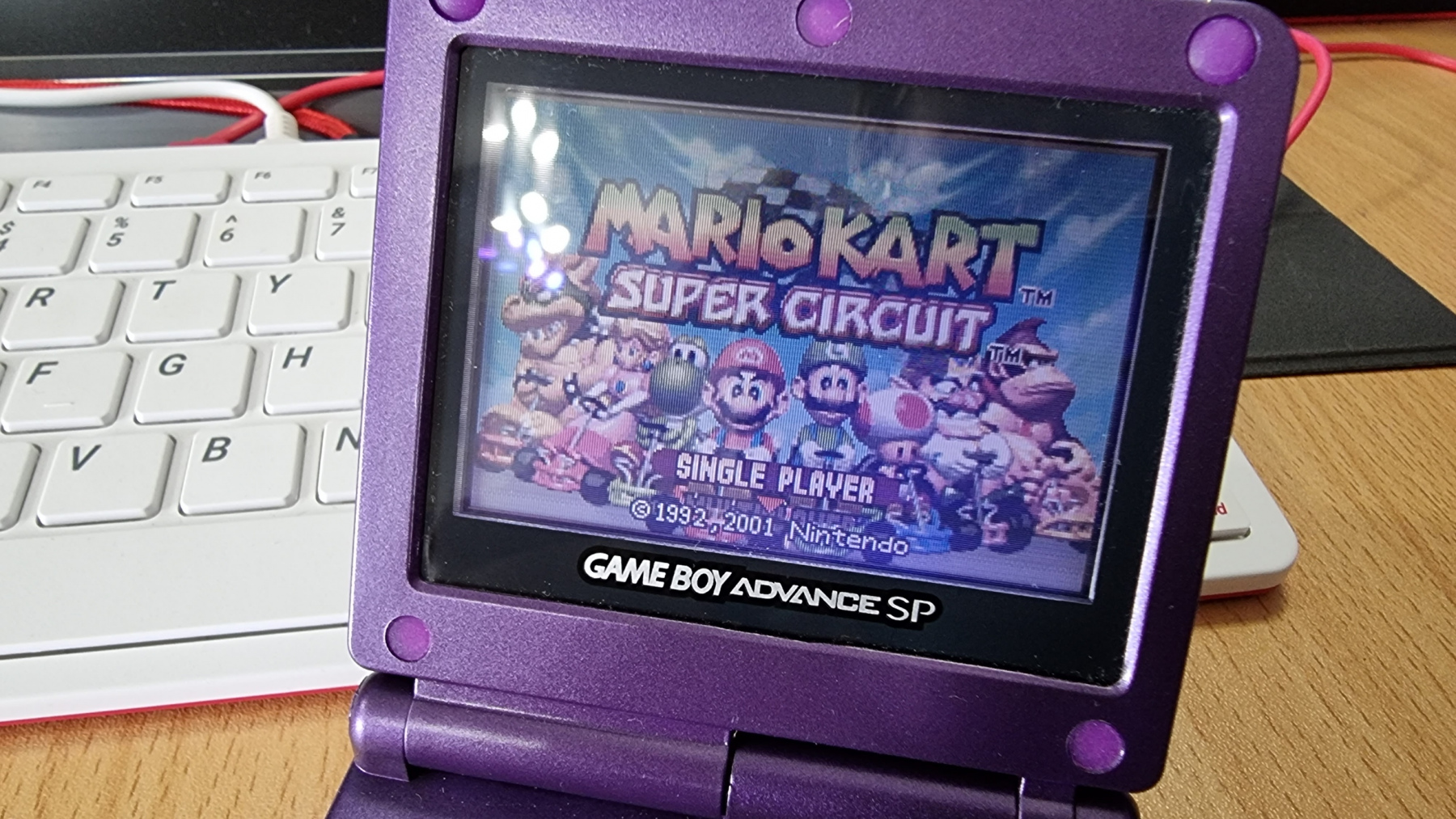
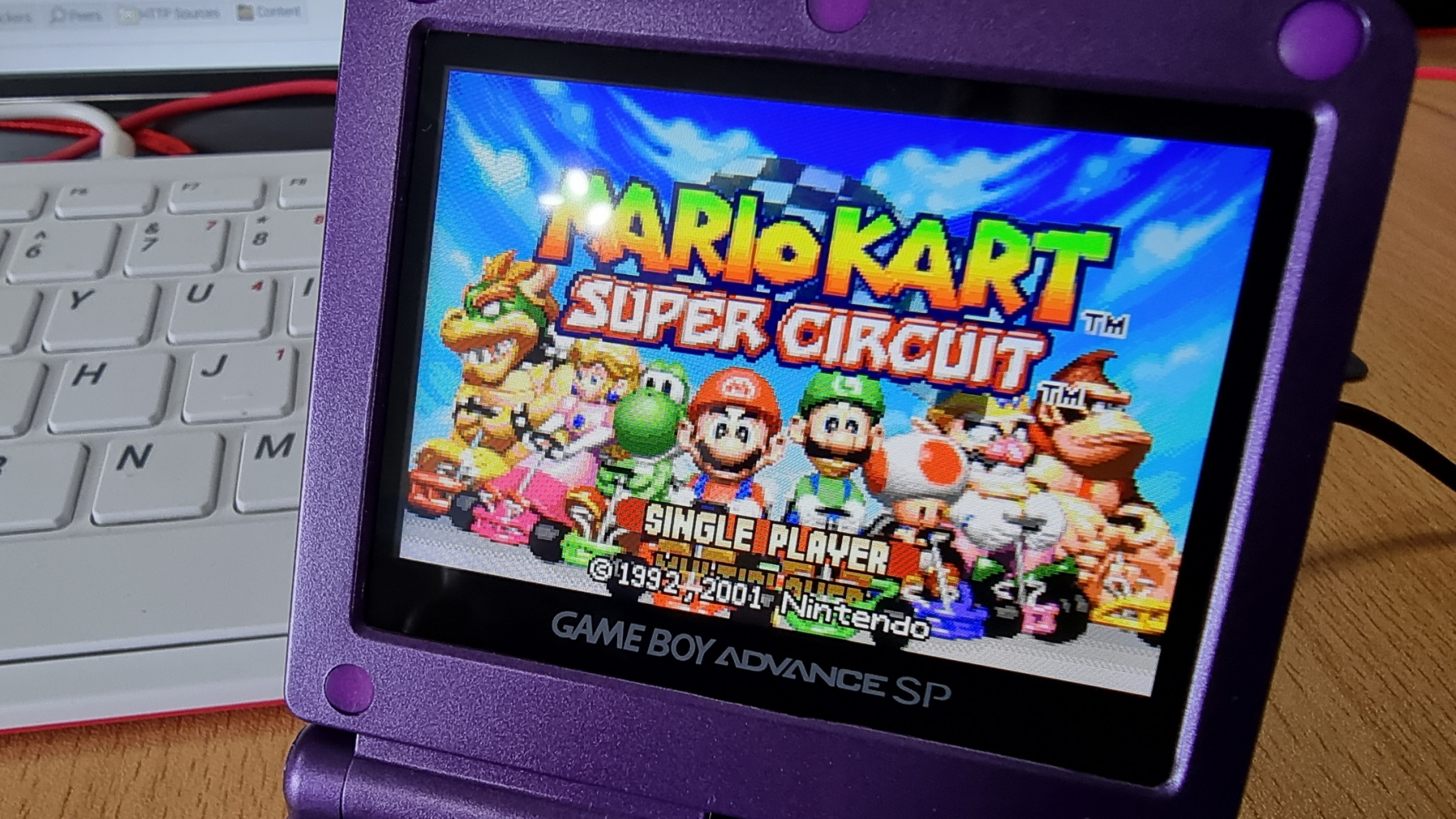
After fitting a new case to my £4 car boot find GBP SP, it was looking as good as new. But the screen on these things isn’t exactly the best. They are front-lit LCD screens and as such, they are not very vibrant. Since this GBA SP was never going to be kept as an original example of the console, I decided to treat it to a modern LCD replacement.

Click the images below to see a close up of the picture quality.

This screen was £31 from China and I think the results speak for themselves. It looks gorgeous now and has become a very useable device.

Fitting was very easy and no soldering is actually required, but you can solder a single wire to have the brightness control working. I also had to do some minor modifications to the insides of the case to allow the top part of the shell to close together. But even with that, the fitting took no longer than 30 minutes.

Posted on Leave a comment

My CD32 Broke :( But I fixed it :)

So I was having an evening messing around with the CD32 and installed an ESP8266 unit inside it so it would connect to my Wi-Fi. I had everything all configured and was just about to start testing when my screen went white. I powered off the CD32 and powered it back on, only to get a blank screen, no sign of booting and the CD drive was not spinning up either. I was not very happy!

Anyway, I made my way to google and had a search around and came across a page that was talking about a voltage detection circuit on the CD32. This circuit made sure that 5V was present on the board and if it wasn’t it would halt the startup of the machine. This seemed to be a possible candidate for my issue so that was where I started.

Firstly I checked that the power supply was supplying the 5V which it was. I then checked various locations on the board where 5v should be present and they all checked out too. So it was now time to concentrate on the reset circuit.

I grabbed the schematic for the CD32 and found the circuit diagram for this part of the machine:

According to the article I read, U14 could sometimes be faulty and could cause this issue. But to test this I measured the voltage that was entering U14 on pin 2. This should measure ~5V but instead was measuring 3.7V, because of this, pin 3 was LOW, and therefore the machine would not boot. To test this out I grabbed a jumper wire and connected a known 5V source up to pin 2, immediately the green light went bright and the CD32 booted. So now I knew the issue, but what was the problem? There are only a couple of components before U14 that could affect the voltage, a 10k resistor, and a 0.47uF capacitor. I have seen many electrolytic capacitors fail before but this one was a small surface-mount capacitor. It still seemed like a likely candidate though so it got swapped out.

And after re-assembling enough to test the machine, sure enough, it fired back into life. I was so happy that I managed to recover the machine as I’ve really enjoyed messing around with it. Now back to connecting this Amiga up to the internet at a staggering 115200baud 🙂

Posted on Leave a comment

GBA SP gets re-shelled

Now my GBA SP is all charged up and working, it needed a new shell to bring it back up to showroom condition. There is a huge selection of shells available on eBay for around £12 each. I decided to go for a nice clean purple case. It’s actually a pretty easy job to swap the insides on this console so if you have an old SP lying around it may be time to give it a new wardrobe.

The next question is do I keep the original screen or replace it with a modern IPS screen 🤔

Posted on Leave a comment

The CPC lives!

I was meant to post this a week ago but was busy building up the new display unit, so it got forgotten.

Anyway, the good news is the CPC464 lives again! I stripped it all down and checked the temp of all the chips on the board and found one of the memory chips was getting very hot so that was the first job, removing all the current chips, replacing them with sockets and then fitting the new memory chips.

After this, I powered it back up but unfortunately, there was still no picture. No other chips seemed to be getting very hot but maybe the Z80 was getting a bit warmer than I expected. I swapped this over with the Z80 from my Speccy +2 though and found that wasn’t the issues either.

So at this point, I dragged out the oscilloscope and after watching some youtube videos I started to check things like the clock signal for the Z80. That checked out fine, but the data lines on the Z80 were dead and I was seeing weird 1Mhz signals dotted over various different pins. After some discussions on forums, it seemed like the Z80 was getting stuck in a loop and not running correctly. But the Z80 only runs what it is told, and that is the job of the ROM chip.

So next step was removing the ROM from the board, at this point, I placed it into my EPROM programmer and read the contents of the chip to see if it matched the original ROM file. The result of this was a chip apparently filled with “FF”. So no ROM code on there whatsoever. This chip is fried!

A new blank EPROM chip was purchased next and then programmed with the original ROM file A socket was then fitted to the board and the new ROM chip inserted. And the result of this? a working CPC464!!!

I still need to give the computer a proper clean so will be stripping apart again soon. I also hae a new drive belt for the tape player to go on (although the current one is actually still working). The tape counter button is also jammed so will look at this and may need to 3D print a new part on the resin printer to get this bit fixed.

All in all, I was pretty happy with my first computer repair. I have now placed the CPC on my new display unit and am actually going to use it with the green screen monitor as it really seems to add to the experience. The only issue with this setup was the cables are not very long from the monitor to the computer so I ordered an extension for the video and the power which I am still awaiting the arrival of the video extension. But everything else is in place and ready to go 🙂